billing software for kirana stores that keeps the queue moving
Scan, bill and take payment in seconds while the next customer waits. RetailDek gives kirana shops and supermarkets fast counter billing, barcode scanning and honest stock — without slowing the rush.
Challenges in kirana & grocery
The everyday problems this trade knows too well.
Long queues at peak hours
Evening and weekend rushes punish slow billing. Typing item names one by one loses customers at the door and tempers at the counter.
Hundreds of low-value SKUs
From loose dal to branded biscuits, a kirana carries thousands of items at thin margins. Tracking each one by memory is impossible.
Fast movers run out silently
Milk, oil, atta — the items that bring people in are the first to vanish. Without reorder visibility, you lose the sale and the footfall.
Cash drawer never tallies
Multiple family members bill through the day. At night the cash rarely matches, and nobody can say where the gap came from.
How RetailDek fits
The real features that solve the way kirana & grocery actually work.
Scan-to-bill at counter speed
Give every item a barcode and let the scanner pull the exact product, price and GST rate. The POS is built for speed, not form-filling.
Barcode labels for the shelf
Generate and print labels so shelves, bins and the system all share one code — no wrong item, no wrong price on the bill.
Live stock on every SKU
Each item carries a live quantity that sales deduct and purchases replenish automatically, so you spot the fast movers thinning before they run out.
Shift close that reconciles cash
Each counter session opens against a named person; at close, RetailDek reconciles counted cash against sales and locks an immutable day snapshot.
GST bills, even for a grocery
Mixed GST-rate baskets are split correctly with HSN codes and round-off, so your monthly return figures are ready without re-keying.
A day in the shop
How a typical day flows with RetailDek.
Open the shift
The cashier opens a POS session with the opening cash float — their identity is stamped on every bill that follows.
Scan & bill the rush
Scan items, take cash or UPI, print the bill and move on. Stock deducts the instant the bill is saved.
Count & close
At day end, count the drawer. RetailDek reconciles cash against sales and saves a tamper-proof close-of-day record.
Built around your counter
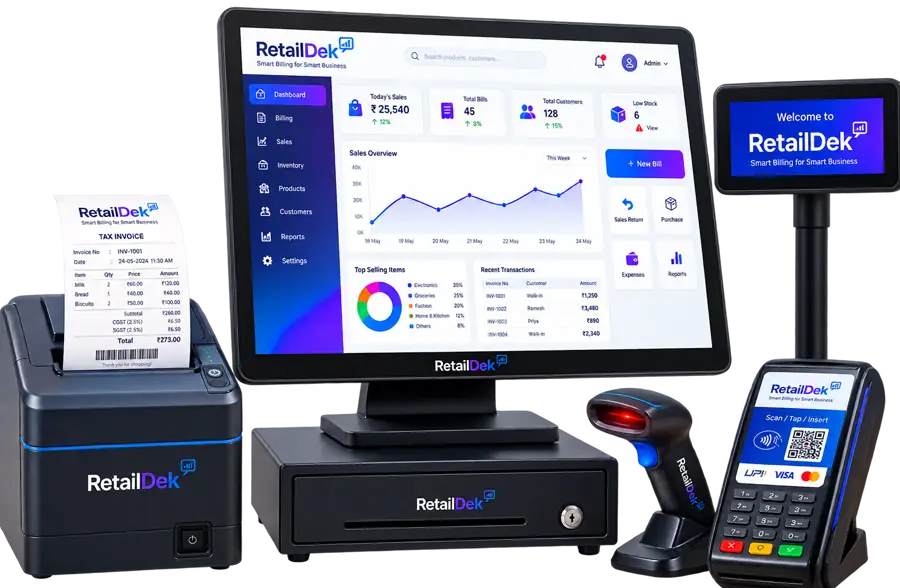
A quick look at how kirana & grocery come together on screen — clear totals, live figures, and nothing to re-key.
- Scan-to-bill at counter speed
- Barcode labels for the shelf
- Live stock on every SKU
Features that matter most here
The parts of RetailDek kirana & grocery lean on every day.
Kirana & Grocery — FAQs
Answers to the questions owners in this trade ask most.
Yes. The POS is scanner-first — scan a barcode and the item drops in with its price and GST rate ready. It is built to keep the queue moving during the evening and weekend rush.
Run your kirana & grocery on RetailDek
Start free and see it running with your own shop's data in minutes.